Licenses
Licenses define the rights to use Dragonfly on designated equipment at a certain level of functionality and may additionally be restricted to a specific period of time. Licenses can be perpetual or time-limited, which are valid until a given date. This is usually the case for trial licenses sent for evaluation purposes, non-commercial licenses, and for annual and monthly subscriptions.
Each time the software runs, it checks for a valid license. If a valid license is found, the application will run with all the licensed features.
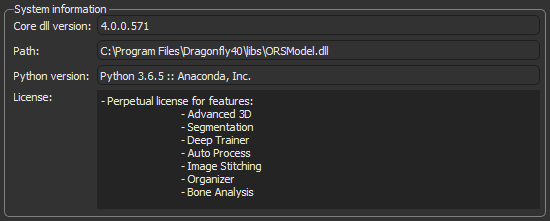
The currently licensed features are listed in the System information box in the About dialog. Choose Help > About Dragonfly to open the dialog.
System information
Object Research Systems offers two types of licenses for Dragonfly — Static (node-locked) and Floating (concurrent).
Static (node‐locked) license… This type of license allows Dragonfly to run on only one particular computer. Note that all trial licenses are node-locked.
Concurrent (floating) license… If you purchase floating licenses, Dragonfly will run on any computer that can communicate with the network license server. The number of licenses that can be issued at any given time by the server depends on the number of licenses you purchase. If the license server is shut down or taken off the network, Dragonfly workstations will be unable to obtain a license file until network connectivity is restored.
Floating license server… You can use the ORS public server to issue licenses or you can install your own license server on a local area network or shared network drive. Contact the ORS Support Center for information about adding licenses to the ORS public server or setting up a floating license server. You should note that Object Research Systems uses Quick License Manager (QLM) from Soraco Technologies Inc. to create and manage Dragonfly software licenses.

 LEARNING LINKS

